What Colors Make Red? Everything You Need to Know
Have you ever wondered exactly what colors make red when you’re staring at a paint palette, only to realize red doesn’t mix quite the way other colors do? It’s a trickier question than it first appears, because red is usually treated as a starting point rather than something you build from scratch.
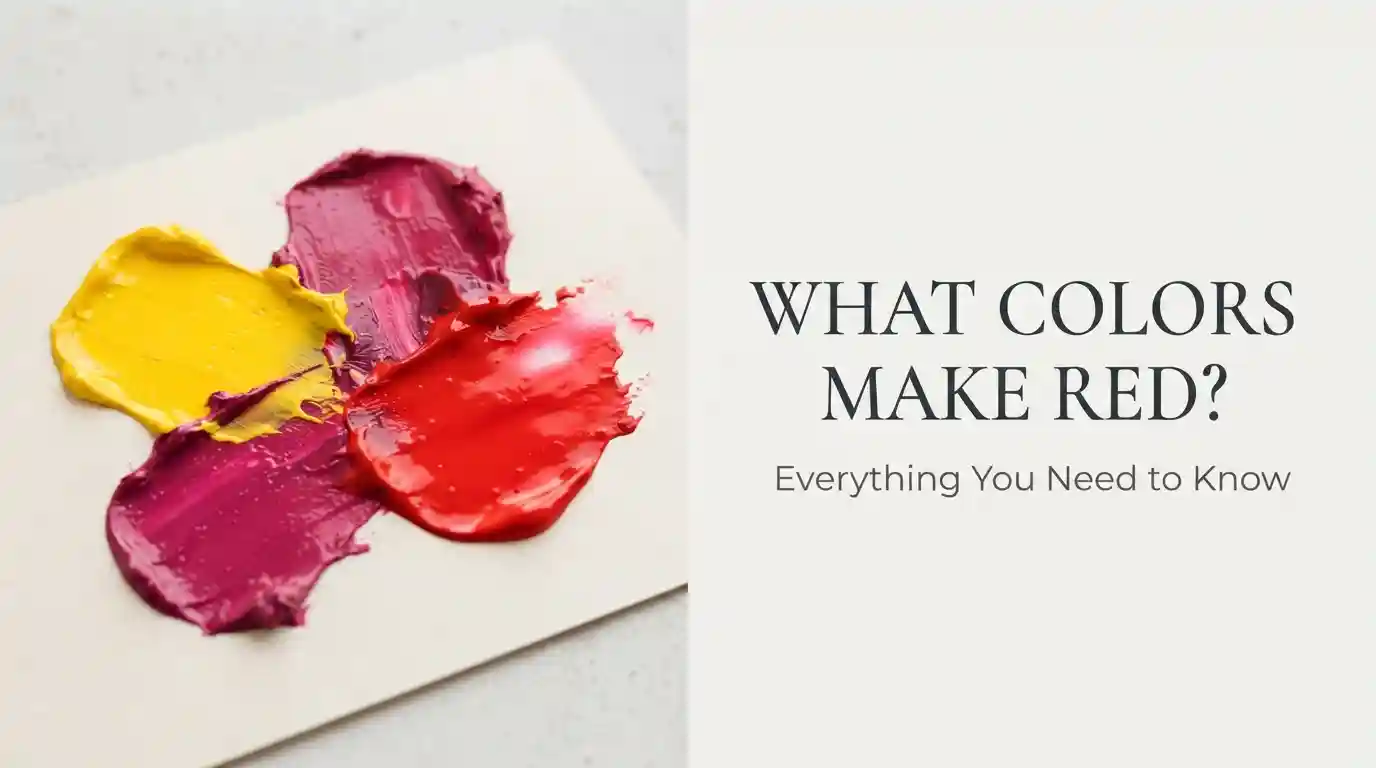
Main takeaway: In traditional painting, red is a primary color and can’t be created by mixing other traditional paint colors. However, in process color mixing (CMY/CMYK), red can be created by combining magenta and yellow in roughly equal parts. This guide explains both situations clearly, along with how to adjust an existing red toward the exact shade you want.
This article covers what colors make red, how to mix red-adjacent tones in paint, how to create true red digitally, and how to fine-tune your red once you have a starting pigment.
What Is Red?
Red is one of the three traditional primary colors, alongside blue and yellow, sitting at one point of the classic color wheel. Because it’s primary, red can’t be produced by combining other traditional pigments — it’s a foundational building block that other colors are mixed from, not a color mixed into existence.
The standard digital representation of red is:
- Hex Code: #FF0000
- RGB Values: 255, 0, 0
Red reads as a warm color, sitting at the opposite end of the temperature spectrum from cool blues and greens. It’s commonly associated with:
- Passion and energy
- Urgency and danger
- Boldness and confidence
- Warmth and intensity
- Love and celebration
“Chasing red through mixing is a bit like trying to build sunlight out of shadows — you can get close with the right ingredients, but pure red usually needs to start as pure red.”
What Colors Make Red?
The honest answer to what colors make red depends entirely on which color system you’re working in. In traditional RYB paint mixing, red is primary, so no combination of other traditional pigments produces a true, saturated red — mixing other colors usually gets you close to red-orange or red-violet at best, never a pure red.
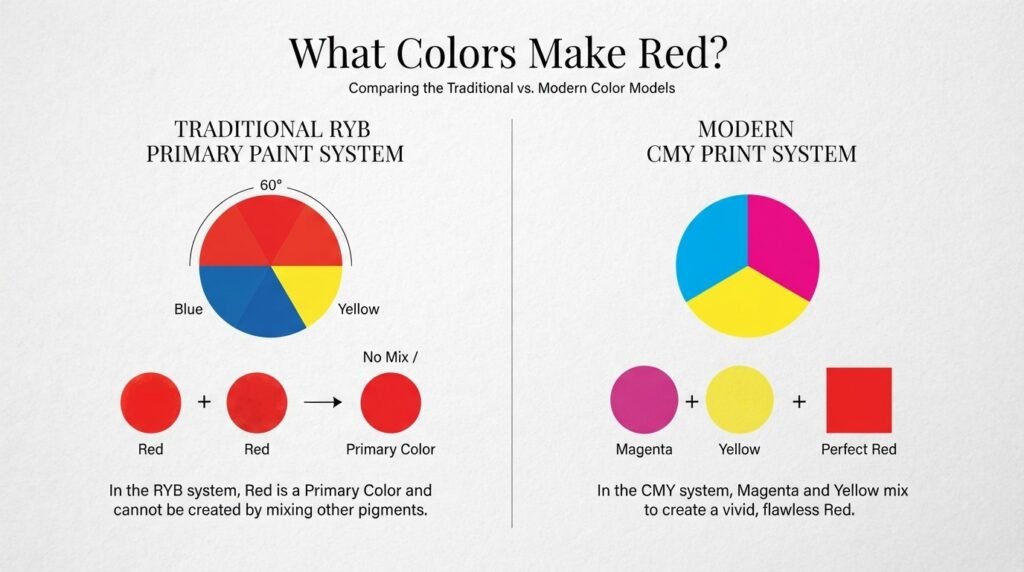
In process printing and pigment theory (CMY), however, red actually can be created. Combining magenta and yellow in a roughly 1:1 ratio produces a red very close to true red. This is the same principle used in four-color printing, where red areas of an image are built from magenta and yellow ink layered together rather than printed with a dedicated red ink.
Step-by-Step: How to Mix Red-Toned Colors in Paint
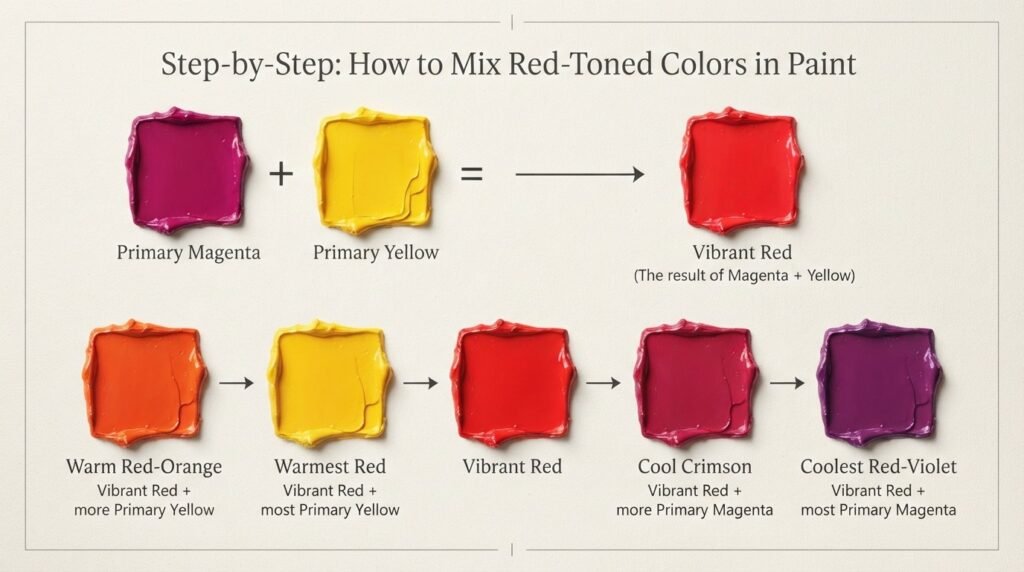
Since how to make red from scratch isn’t possible with traditional pigments, most painters instead adjust an existing red toward the exact shade they need. Here’s how that process works.
Step 1: Start With a Strong Base Red
Use a high-quality red pigment such as:
- Cadmium Red
- Alizarin Crimson
- Naphthol Red
Cadmium Red is the most commonly used option because of its strong, opaque coverage.
Step 2: Or Approximate Red From Magenta and Yellow
If you don’t have a red pigment on hand, combine:
- 1 part Magenta
- 1 part Yellow
Mix thoroughly until the color looks even and no longer shows separate magenta or yellow streaks.
Beginner Tip: Add yellow into magenta a little at a time rather than all at once. Too much yellow shifts the mix toward orange before you reach a true red.
Step 3: Adjust the Tone
To create different red variations:
For a warmer red:
- Add a small amount of orange or extra yellow
For a deeper, richer red:
- Add a small amount of brown or a touch of black
Step 4: Test Before Applying
Paint a small swatch and let it dry completely. Wet paint often looks darker and more saturated than the final dried color, so testing first avoids surprises on your actual project.
Mixing Chart: Red Variations and Color Combinations
The exact pigments and ratios you use shift the final red noticeably, even when starting from the same base. The chart below shows common combinations artists use to create different red tones.
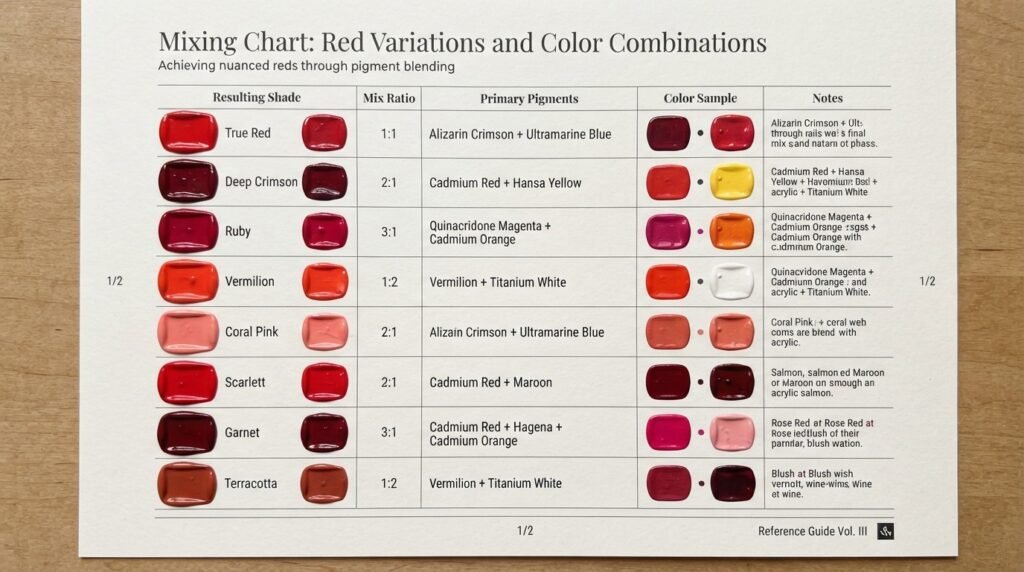
| Starting Colors | Mixing Ratio | Resulting Shade | Hex Code |
| Magenta + Yellow | 1:1 | True Red | #FF0000 |
| Cadmium Red + Nothing | 100:0 | Pure Cadmium Red | #E30022 |
| Alizarin Crimson + Cadmium Red | 1:1 | Deep Crimson Red | #990000 |
| Cadmium Red + Orange | 90:10 | Warm Vermilion Red | #E34234 |
| Cadmium Red + Tiny Blue | 95:5 | Cool Ruby Red | #9B111E |
| Magenta + Orange | 1:1 | Bright Coral Red | #FF4040 |
| Cadmium Red + Brown | 90:10 | Brick Red | #B22222 |
| Cadmium Red + Black | 95:5 | Dark Maroon Red | #800000 |
| Alizarin Crimson + Yellow | 90:10 | Fire Engine Red | #CE2029 |
| Cadmium Red + White | 90:10 | Soft Rose Red | #E77471 |
A few of these combinations are especially useful to know. Magenta and Yellow at a clean 1:1 ratio is the only true way to build red from non-red pigments, which makes it essential knowledge for anyone working in printing or color theory. Alizarin Crimson mixed with a touch of yellow produces a punchy fire-engine red that’s popular for bold graphic work, while adding black instead pulls the same base toward a deep, moody maroon.
How to Make Red With Different Starting Colors
If you don’t have magenta, yellow, or a dedicated red pigment available, a few alternative approaches can still get you close.
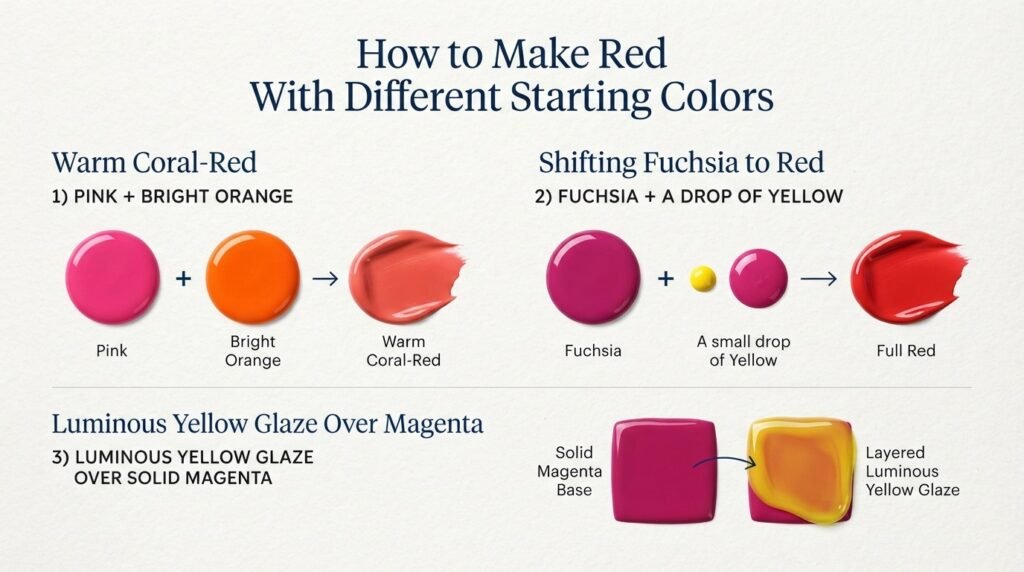
Using Pink and Orange
Mixing a strong pink with orange can approximate a warm, coral-leaning red, though it won’t be as saturated as a true red pigment.
Starting From Rose or Fuchsia
Rose and fuchsia pigments already sit close to red on the wheel, so adding a small amount of yellow can nudge them toward a fuller red.
Layering Instead of Mixing
Some painters layer a thin glaze of yellow over a base of magenta rather than physically blending them, which can produce a more luminous red than direct mixing.
This flexibility is part of why what colors make red doesn’t have one single universal answer — the right path depends on which pigments you already have in your kit.
How to Make Red Digitally (RGB/Hex)
Digital color mixing works completely differently from paint, since screens combine light rather than pigment.
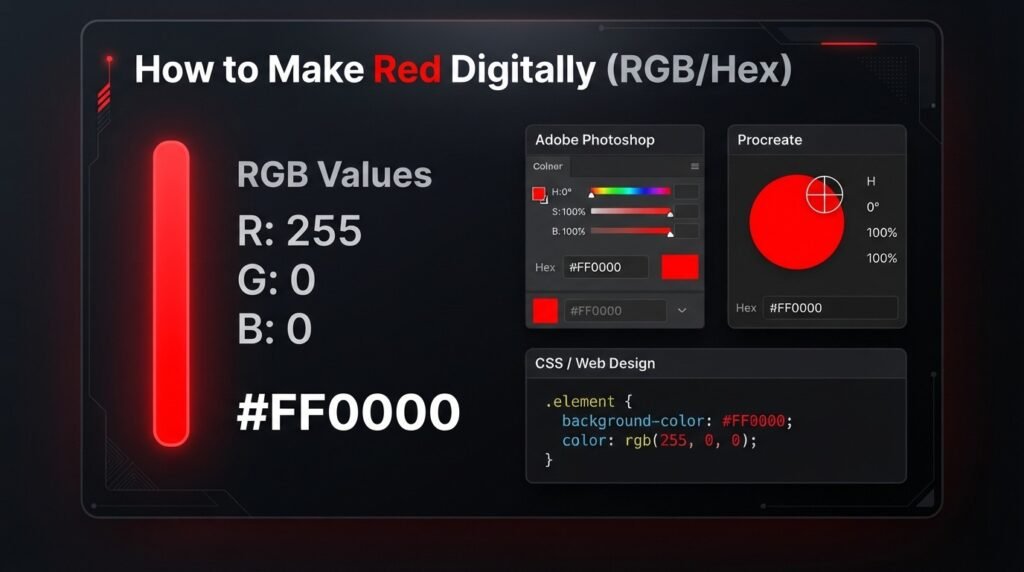
The standard digital red values are:
- Hex Code: #FF0000
- RGB Values: RGB (255, 0, 0)
This means the red channel is set to its maximum value while green and blue are set to zero. Unlike paint, digital red doesn’t require mixing two colors together at all — it comes from isolating the red light channel on its own.
Using Red in Design Software
Photoshop
- Open the color picker
- Enter hex value: FF0000
- Press OK
Procreate
- Tap the color circle
- Enter RGB values: R: 255, G: 0, B: 0
CSS/Web Design
color: #FF0000;
background-color: red;
Common Mistakes When Making Red
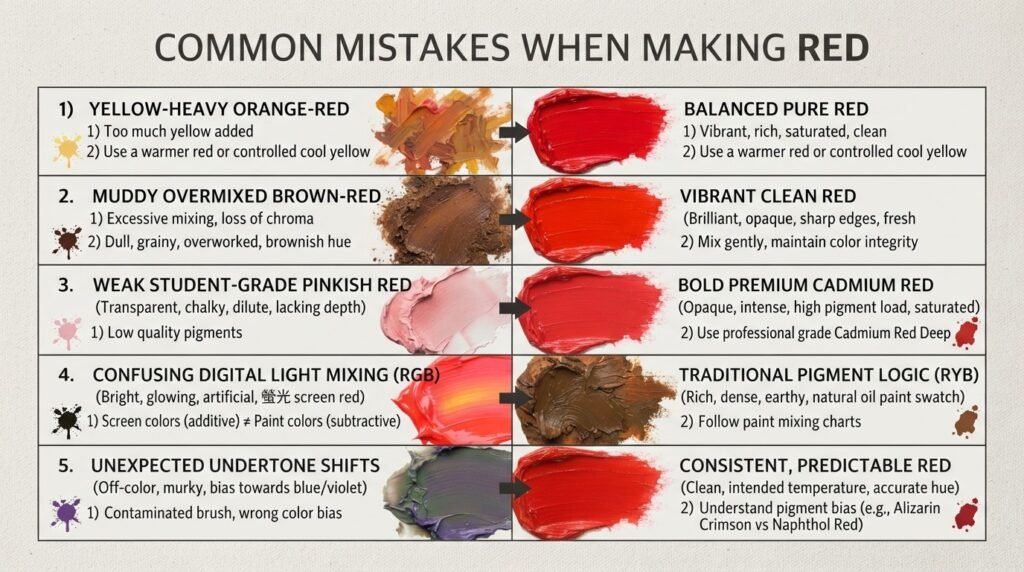
1. Using Too Much Yellow
Problem: The red drifts toward orange instead of staying true red. Fix: Add yellow in very small increments and stop as soon as the mix reads as red rather than orange-red.
2. Mixing Too Many Colors at Once
Problem: The result turns brown or muddy instead of vibrant. Fix: Stick to two colors at a time, and build complexity slowly with small test swatches.
3. Using Low-Quality Red Pigment
Problem: The color looks weak, pink, or transparent instead of bold. Fix: Choose a high-pigment option like Cadmium Red rather than a student-grade paint.
4. Confusing Digital and Paint Mixing
Problem: Trying to recreate RGB red using paint logic, or vice versa. Fix: Remember that light mixing isolates red directly, while paint mixing (when possible at all) combines magenta and yellow.
5. Ignoring Undertones
Problem: The red looks unexpectedly pink, orange, or brown once dried. Fix: Check whether your magenta leans cool or warm, and adjust the yellow ratio accordingly before committing to a full batch.
Tips for Getting a Consistent, Vivid Red Color
For professional-looking results every time:
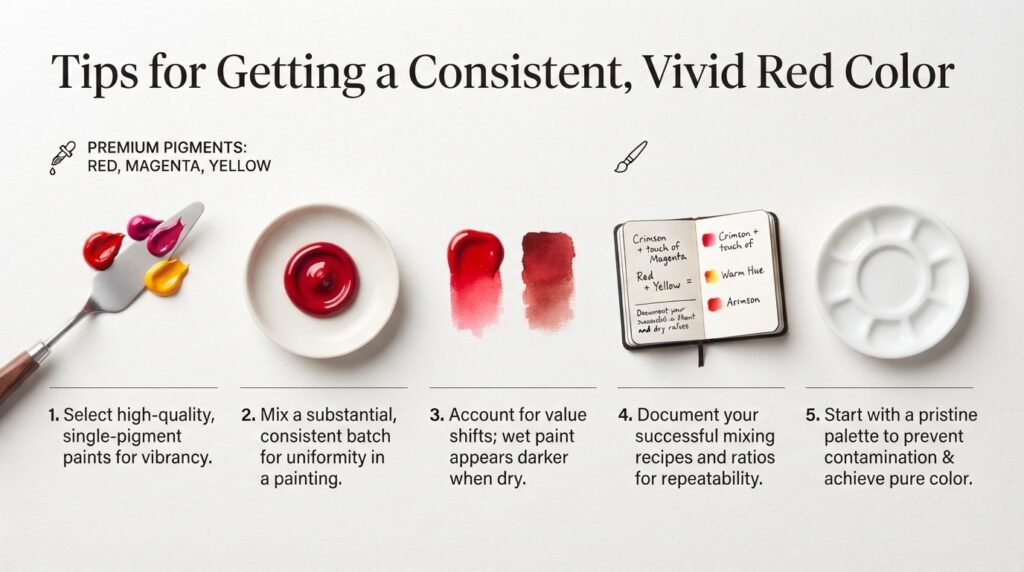
Use Quality Pigments: Premium reds, magentas, and yellows create cleaner, more saturated results with better coverage.
Mix Small Batches: Create only what you need for a single session to avoid inconsistent color if you have to remix later.
Test Dry Samples: Always check a dried swatch, since red pigment often shifts slightly in both hue and intensity as it dries.
Keep Notes:s Record your exact ratios and pigment brands so you can recreate the same red in future projects.
Use a Clean Palette: Leftover paint from cooler colors like blue or green can quickly dull an otherwise vibrant red mix.
Real-Life Uses of Red
Red is one of the most powerful and widely used colors across creative industries.
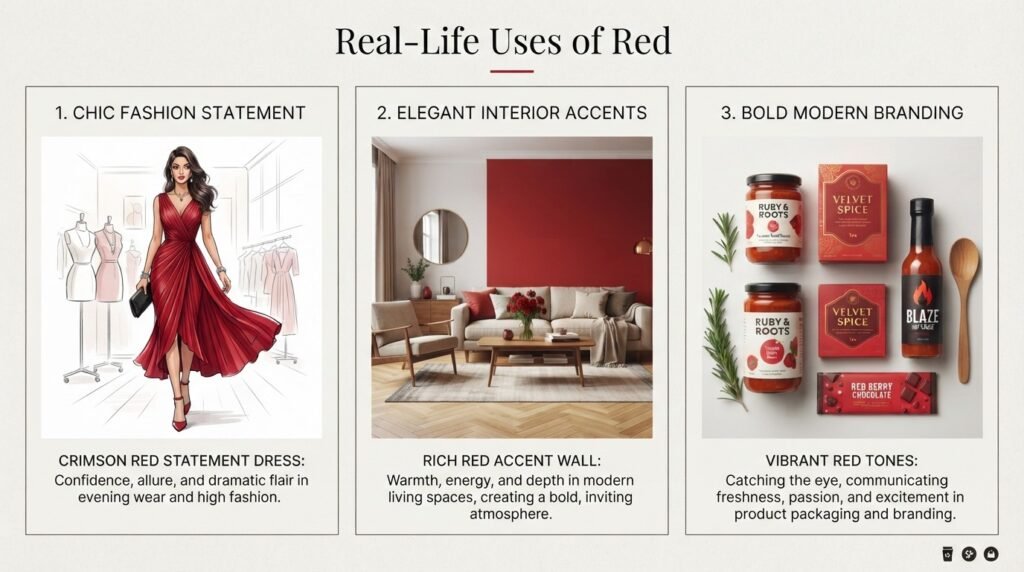
Fashion: Red clothing creates:
- Bold, confident statement looks
- Romantic or celebratory outfits
- High-visibility, attention-grabbing pieces
Interior Design: Red walls and furniture create:
- Energetic, dramatic focal points
- Cozy, warm dining and living spaces
- Strong accent choices against neutral tones
Branding: Many brands use red to communicate:
- Urgency and excitement
- Boldness and confidence
- Appetite stimulation, especially in food branding
Shades and Variations of Red
Red covers a wide range of distinct, recognizable shades.
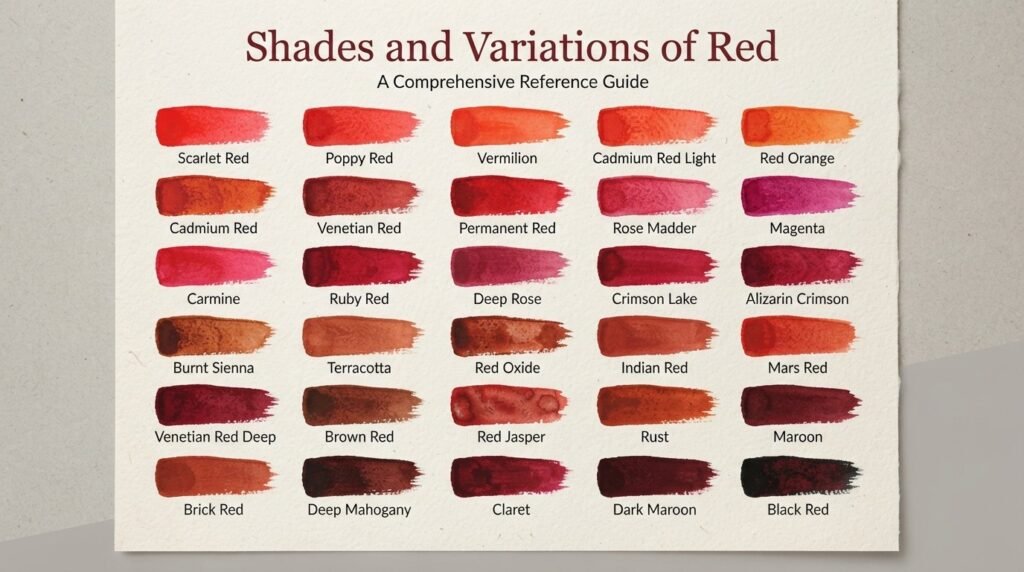
| Shade Name | Hex Code | Common Uses |
| Crimson | #DC143C | Fashion, formal branding |
| Scarlet | #FF2400 | Bold graphic design, military insignia |
| Maroon | #800000 | Interior accents, autumn palettes |
| Vermillion | #E34234 | Traditional art, warm color schemes |
Where Red Sits on the Color Wheel
Red is a primary color, positioned as one of the three foundational colors alongside blue and yellow.
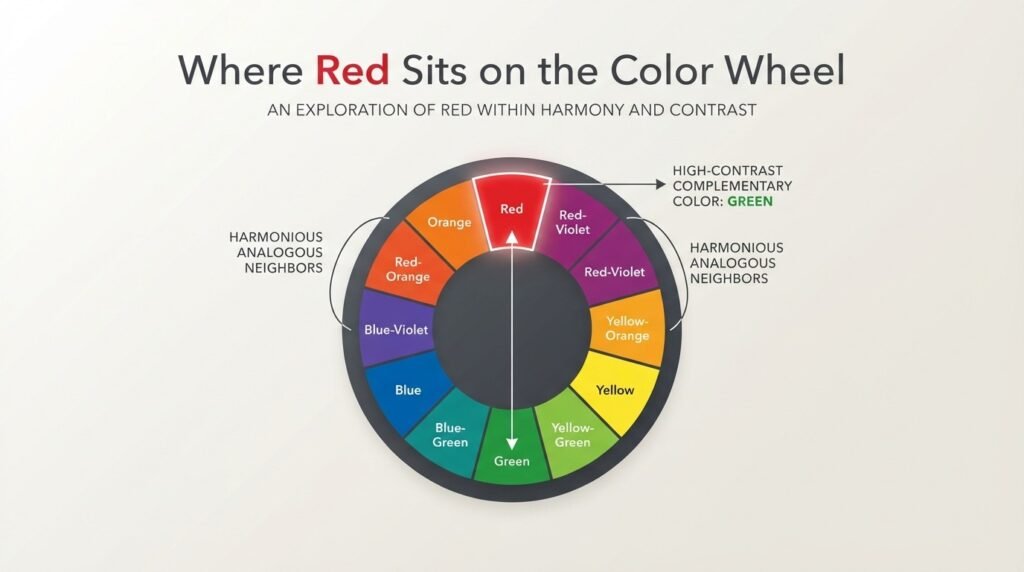
Complementary Color
Red’s complementary color is green, sitting directly opposite it on the color wheel. Pairing red with green creates strong contrast, which is why the combination is so common in holiday and bold graphic design.
Analogous Colors
Red sits next to red-orange and red-violet on the color wheel, making these its natural analogous partners for a warm, cohesive palette.
Tertiary Status
Red itself is not a tertiary color, but its close cousins red-orange and red-violet are, since they form by mixing red with one of its neighboring primaries or secondaries.
Conclusion
Understanding what colors make red ultimately depends on the mixing system you’re using. For traditional painting, red usually starts as a primary color rather than something built from other pigments, though magenta and yellow can approximate it in a pinch. Digitally, red is even more direct, requiring nothing more than isolating the red light channel at full intensity. Test your mixes and adjustments on scrap paper first, and you’ll quickly get a feel for how to make red exactly the way your project needs.
Frequently Asked Questions
What colors make red?
In traditional paint, red is a primary color and can’t be mixed from other pigments. However, magenta and yellow combined in equal parts can approximate a true red.
How do you make red color at home?
The most reliable way to make red at home is to start with a red pigment like Cadmium Red and adjust its warmth or depth with small amounts of orange, blue, or black. If you don’t have red paint, mixing magenta and yellow gets you close.
Can blue and yellow make red?
No, blue and yellow make green, not red. To approximate red without a red pigment, you need magenta and yellow instead.
What two colors make red?
Magenta and yellow, mixed in roughly equal parts, are the two colors that come closest to making red. This is the same principle used in process color printing.
How do you make dark red?
Dark red is made by adding a small amount of black or brown to a base red pigment. This deepens the shade into maroon or brick red without shifting it toward a different hue.
How do you make bright red?
Bright red comes from using a high-pigment red like Cadmium Red on its own, or brightening a magenta-yellow mix with a touch of extra yellow. Avoiding overmixing helps keep the color vivid instead of dull.
What is the hex code for red?
The standard hex code for red is #FF0000, with RGB values of 255, 0, 0. Other red shades like crimson or maroon each have their own distinct hex codes.